Step 1: Basic
Field: Knowledge Name
What it does: Identifies this knowledge object in your list. Also visible in the Knowledge Panel during chat so users know what's active.
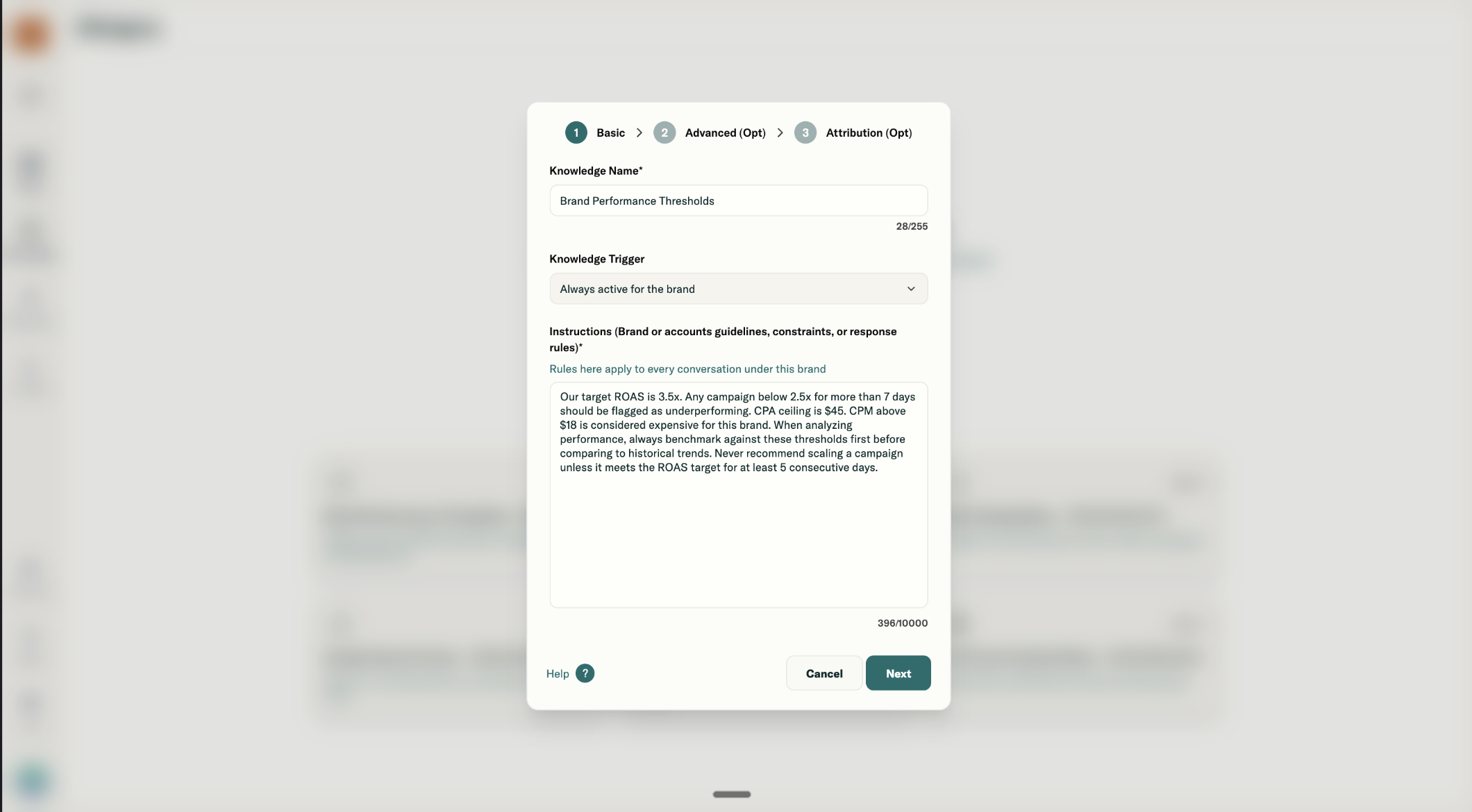
How to name it well:
- Be specific to scope, not generic
- Include trigger context if helpful
Examples:
| Bad | Good |
|---|---|
| Brand Rules | Meta Performance Guardrails |
| Guidelines | Q1 Campaign Constraints |
| Knowledge 1 | APAC Regional Analysis Rules |
Field: Knowledge Trigger
This determines when the knowledge activates. Three options:
Brand Level Trigger
What happens: This knowledge is always active whenever the brand is selected, regardless of which ad accounts are chosen. It's the foundation layer.
When to use:
- Universal brand tone, terminology, or reporting preferences
- Thresholds that apply everywhere (target ROAS, CPA ceilings)
- Response formatting rules
Example instructions for Brand Level:
Always report spend in USD. Target ROAS is 3.5x. Flag any campaign below 2.5x for more than 7 days as underperforming. When presenting performance issues, lead with diagnosis and recommendation, not just the metric. Use "efficiency gap" instead of "wasted spend."
Our fiscal week runs Sunday to Saturday. When asked for weekly performance, always use this definition. Do not include test campaigns (any campaign with "TEST" in the name) in performance summaries unless explicitly asked.
Account Level Trigger
What happens: This knowledge activates only when the specific ad account you select is chosen in chat. It layers on top of Brand Level knowledge.
When to use:
- Platform-specific rules (Meta, Google, TikTok each have different mechanics)
- Account-specific constraints (budget caps, campaign naming conventions)
- Region or market-specific logic tied to one account
Example instructions for Account Level (Meta):
This is our Meta US Performance account. Do not recommend budget increases above 20% per day for any campaign. When CPA rises more than 15% after a budget change, flag it as learning phase impact and recommend waiting 48 hours. For Advantage+ campaigns, only suggest creative swaps or budget changes, not audience changes.
Example instructions for Account Level (Google):
Always prioritize branded campaigns in reports. Evaluate non-brand only after confirming the brand is hitting target ROAS. When recommending keyword changes, focus on terms with 100+ clicks and below-average conversion rate. Never pause exact match keywords without checking phrase match coverage first.
Multi-account (Cross-account) Trigger
What happens: This knowledge activates only when the exact combination of accounts you specify is selected together in chat. Use this for cross-platform or cross-region analysis rules.
When to use:
- Comparing Meta vs Google (different attribution models)
- Comparing regions (US vs UK, APAC vs EMEA)
- Full-funnel analysis (awareness account + performance account together)
Example instructions for Multi-account (Meta + Google):
When analyzing these accounts together, normalize for attribution differences. Meta uses 7-day click, 1-day view; Google uses last-click. Do not directly compare ROAS across platforms without noting this gap. When recommending budget shifts between platforms, keep at least 15% on the lower performer for test continuity.
Example instructions for Multi-account (US + UK accounts):
Convert all spend to USD for comparison. UK typically runs 10-15% higher CPMs due to market density; do not flag this as underperformance unless the gap exceeds 25%. When comparing CPA, note that UK conversion windows differ due to timezone handling.
Field: Instructions
What it does: Tells Prism how to behave when this knowledge is active. This is the core of what Prism "knows."
Character limit: 10,000 characters (~2,500 words)
How to write good instructions:
-
Be specific, not vague
- Bad: "Focus on performance"
- Good: "Flag any campaign with ROAS below 2.5x for more than 7 days"
-
Include thresholds and numbers
- Bad: "Alert me if CPM is high"
- Good: "CPM above $18 is expensive for this brand"
-
Define terminology your team uses
- "When I say 'top campaigns' I mean campaigns with ROAS above 4x"
- "Hero campaigns are campaigns with more than $10k spend in the last 30 days"
- "Co-branded campaigns" are campaigns with these IDs - 234823, 329422
-
Specify what NOT to do
- "Do not recommend pausing any campaign without checking 14-day trend first"
- "Never suggest audience changes for Advantage+ campaigns"
-
Set reporting preferences
- "Always show WoW comparison when presenting metrics"
- "Structure reports as: Key Wins, Areas to Watch, Recommended Actions"