Prompts
Prompts are reusable query templates. Instead of typing the same analysis request repeatedly, create a prompt once and use it across multiple sessions. Access prompts from the Right Panel.
Using Existing Prompts
- Access prompts from the Right Panel
- Browse by category or search for specific prompts
- Click a prompt to load it into the chat interface
- Customize variables (timeframes, campaign names, thresholds) before executing
- Run the prompt to get results
Creating Custom Prompts
- Define the query structure with variable placeholders
- Set default values for common parameters
- Add descriptions to help team members understand usage
- Specify expected output format (table, chart, bullets)
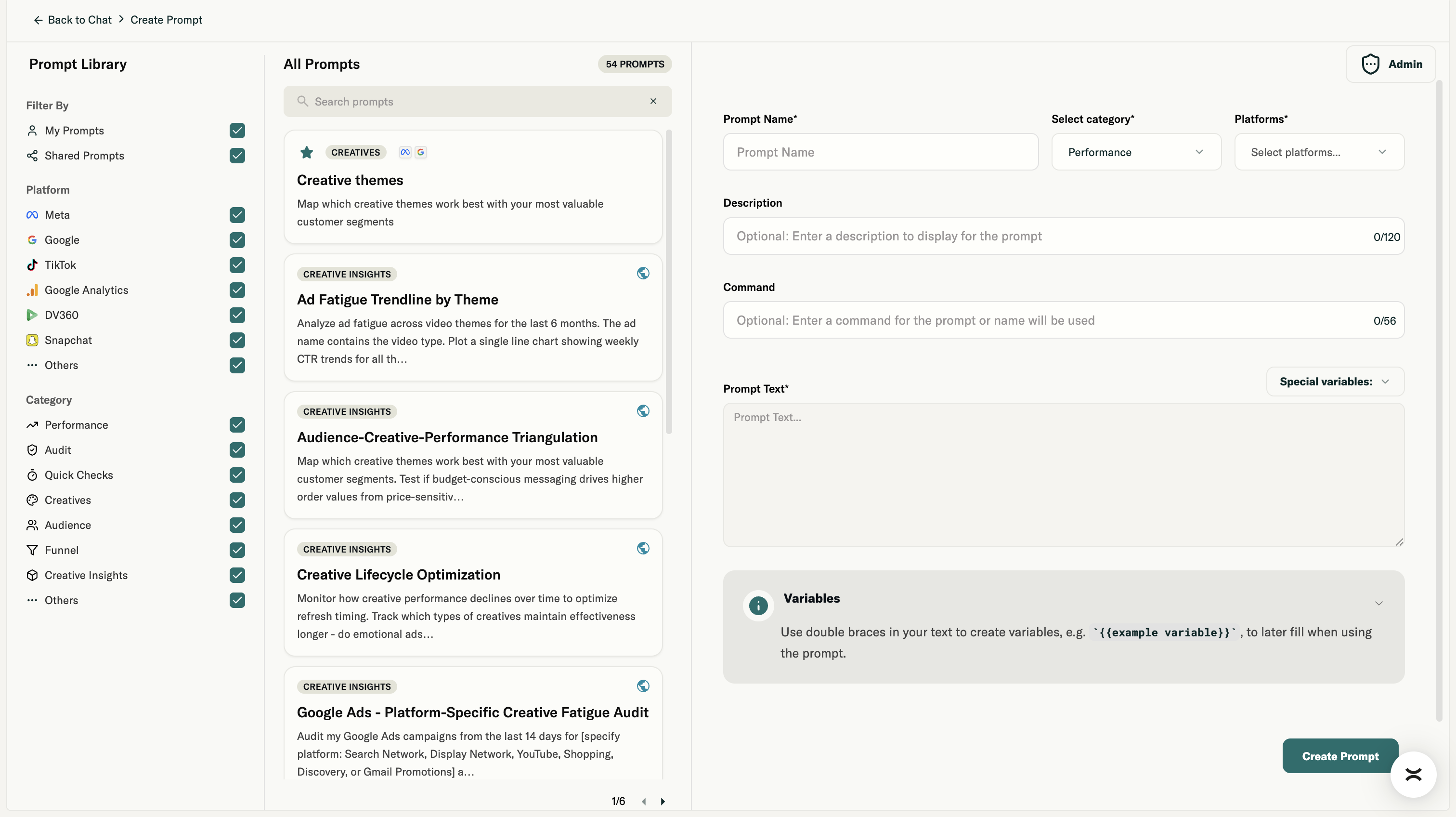
Understanding Variables
For marketers, many use cases require the same insight or report but with different campaign IDs, accounts, time frames, or metrics. Writing a specific campaign ID doesn't make sense if you want to make a prompt useful across all the brands that you manage.
Instead, you can use a functionality called variables. Simply put words like "campaign IDs" or "campaigns" between two curly brackets, e.g. {{time frame}} or {{campaign ID}} or {{ad set name}} within your prompt.
When you click on a prompt containing a variable, Prism will ask you to fill in that variable with the data point you need. This allows you to reuse the same prompt across different contexts or brands.
Sharing Prompts
Prompts can be shared within your brand. Team members can view and use shared prompts, enabling consistent analysis approaches across your organization. Team members with brand or org admin permissions can also share their created prompts across all the brand users.
Enhance Prompt Toggle
The Enhance Prompt feature helps improve your queries by suggesting additional context, specifying metrics, or clarifying timeframes. Use it when you want to refine a query for better results.
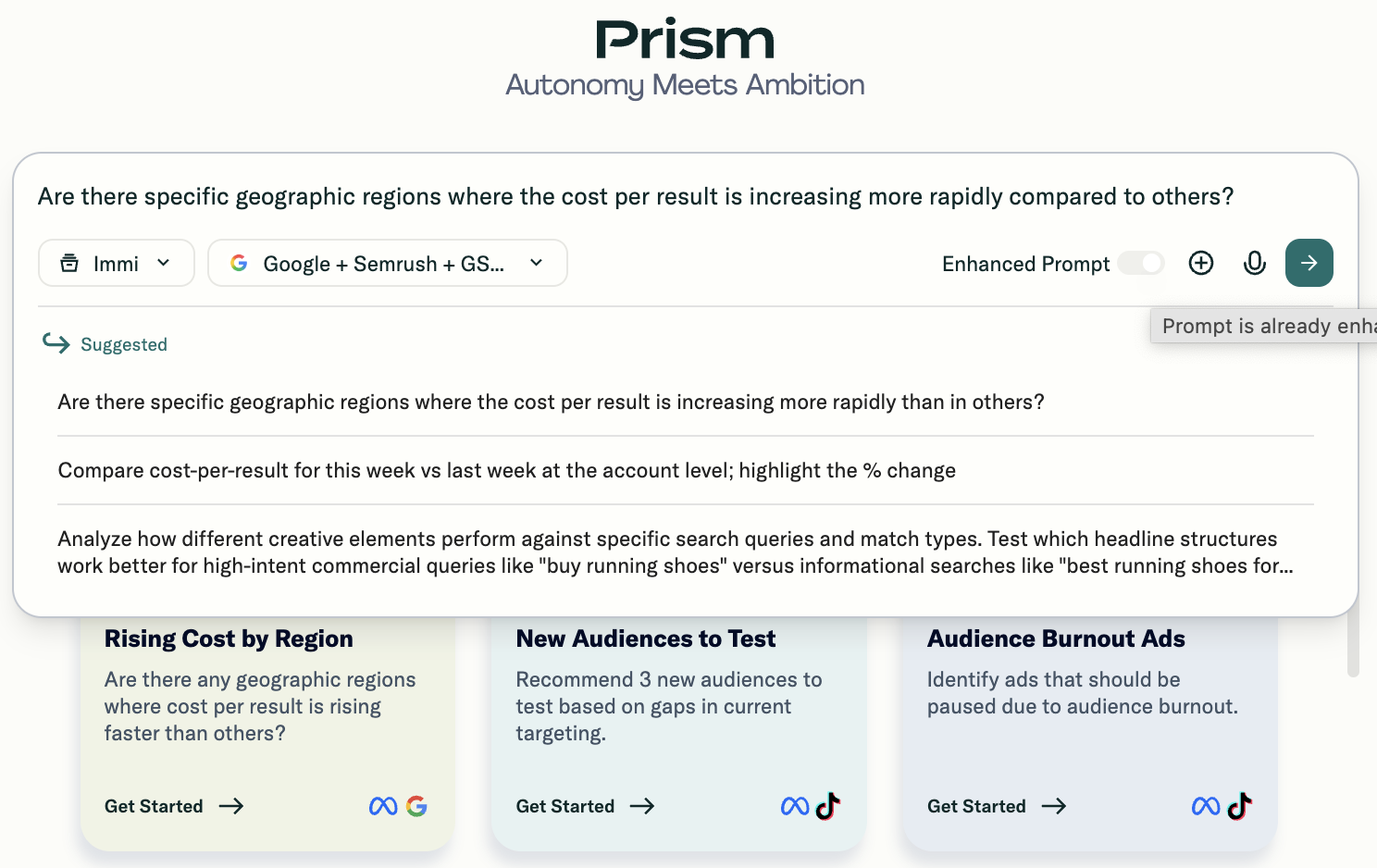
Example Prompt Structures
- Weekly Performance Review: "Rank creatives by performance. Flag signs of fatigue (declining CTR or ROAS). Recommend the next three test priorities."
- Budget Reallocation: "Recommend a [X]% budget shift that improves blended ROAS without raising CPA. Include campaign and ad set level moves, confidence, and projected impact."
- Wasted Spend Audit: "Identify spend that did not meet CPA target in the last [X] days."