Managing Existing Portfolios
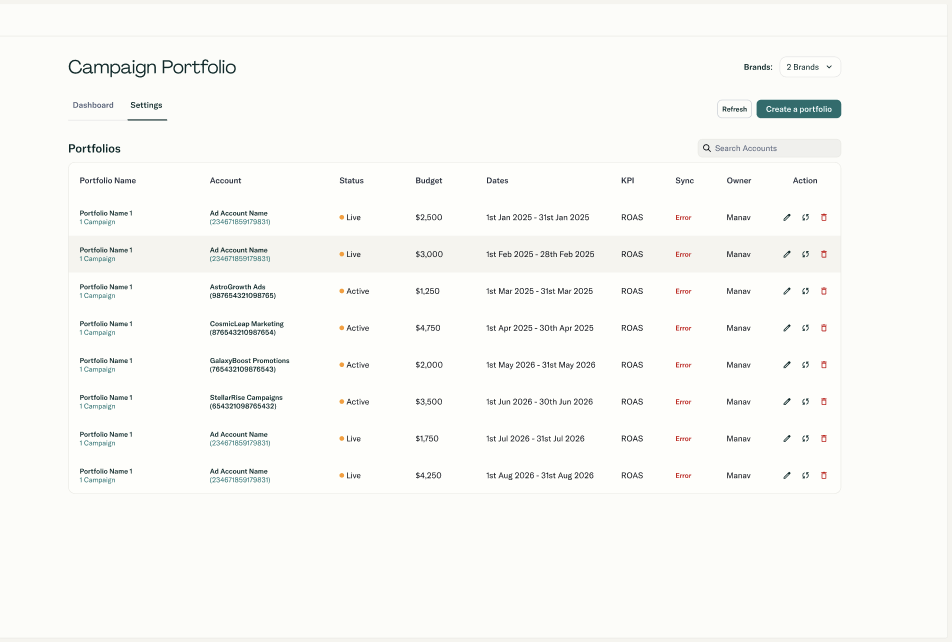
Editing Portfolio Settings
From a portfolio's Settings (Brand Admin only), you can edit:
- Portfolio name
- Campaign selection (add/remove campaigns)
- Monthly budget
- KPI type and KPI target
- Monitoring start date and flight end date
- Scheduled sync settings
You cannot change:
- Brand
- Ad account
To change those, create a new portfolio and, if needed, delete the old one.
Adding and Removing Campaigns
- Adding campaigns: Newly added campaigns are claimed globally for this portfolio
- Removing campaigns: Removed campaigns are released and can be used in other portfolios
Deleting a Portfolio
When you delete a portfolio:
- A confirmation dialog is shown
- On confirmation:
- Portfolio configuration is deleted
- All campaigns in the portfolio are released from exclusivity
- Any scheduled sync job for that portfolio is removed
- Historical metrics can be retained for audit/analysis purposes