Creating a Workflow
There are two ways to create a workflow: from scratch or from an existing conversation.
Creating from Scratch
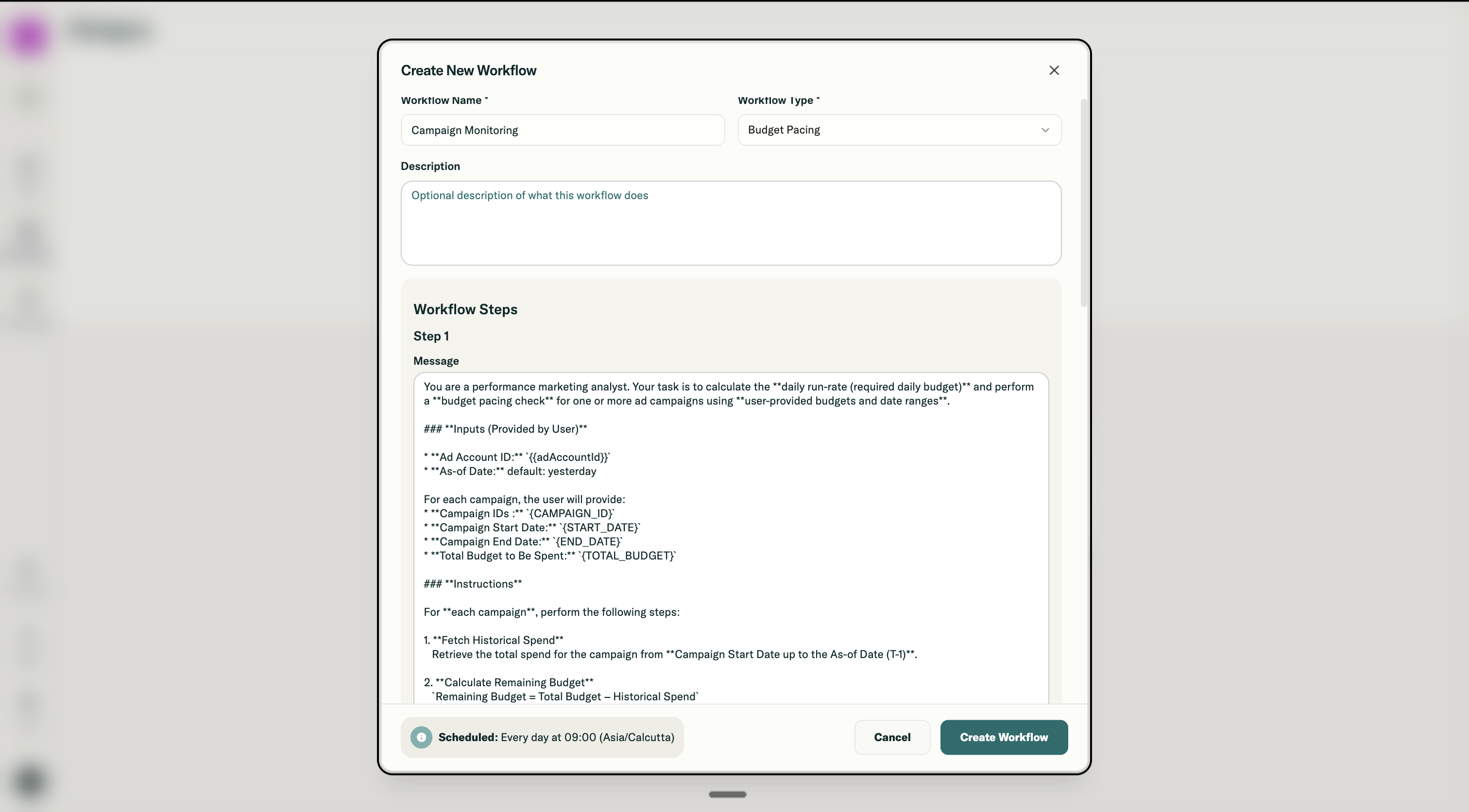
Go to the Workflows page in your left navigation and click "+ Create Workflow." A modal opens where you configure the workflow.
You will need to provide:
- Workflow name that identifies what this workflow does (like "Daily Campaign Monitor")
- Ad account it should run against
- Agent that will process the prompts
- Time frame for the analysis
- Description (optional)
Then you define your steps. Each step has a prompt, and you can add as many steps as your analysis requires. If your analysis is simple, one step is enough. If it needs follow-up questions or builds on previous responses, add more steps.
Creating from an Existing Conversation
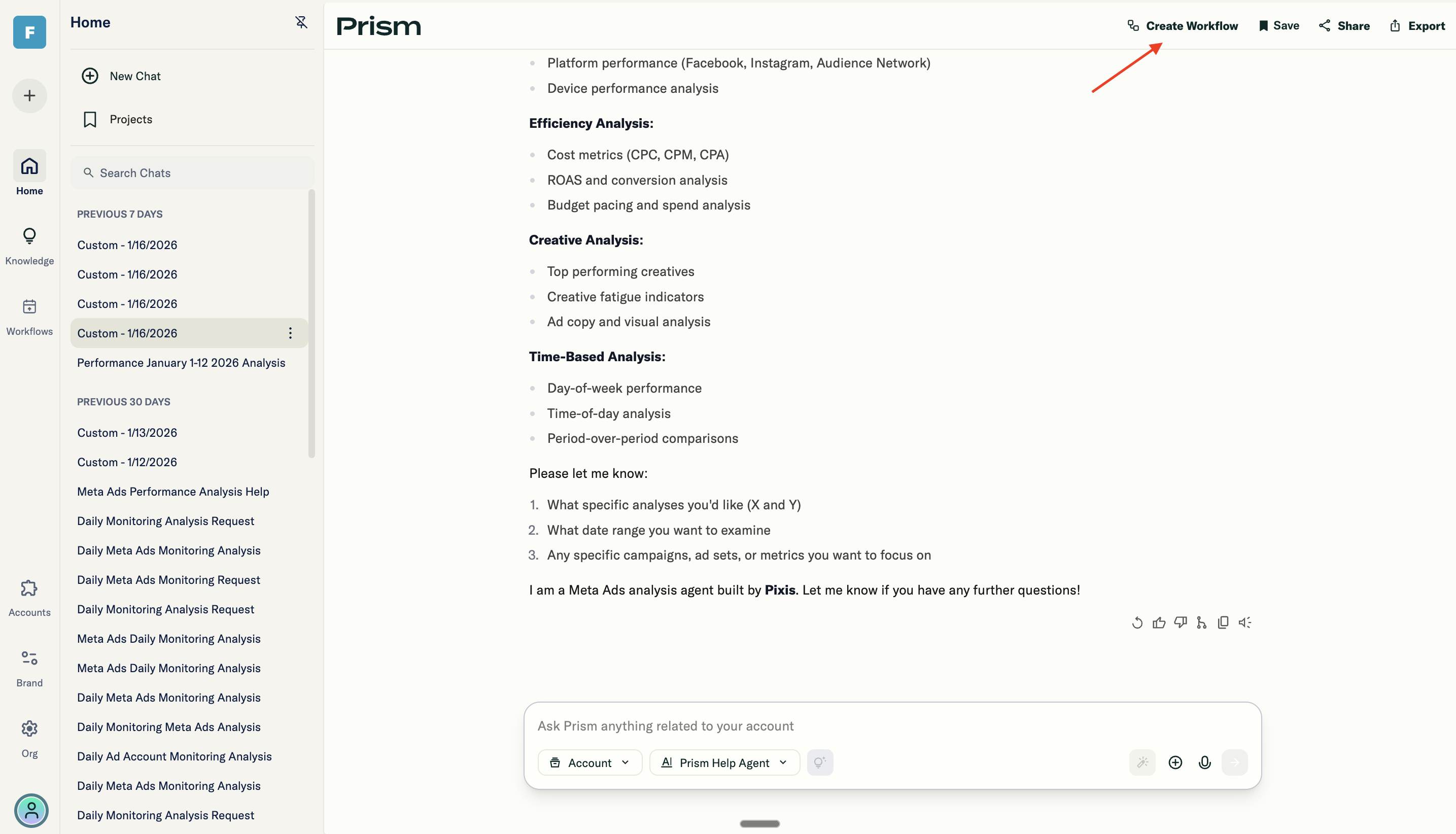
If you have already had a conversation in Prism that you want to repeat regularly, you can turn it into a workflow.
- Find the message in your chat history
- Open the action menu
- Select "Create Workflow"
This automatically creates a workflow where each of your messages becomes a step:
- Message 1 becomes Step 1
- Message 2 becomes Step 2
- And so on
The workflow is pre-populated with your conversation content, ready to schedule.