Viewing Execution History
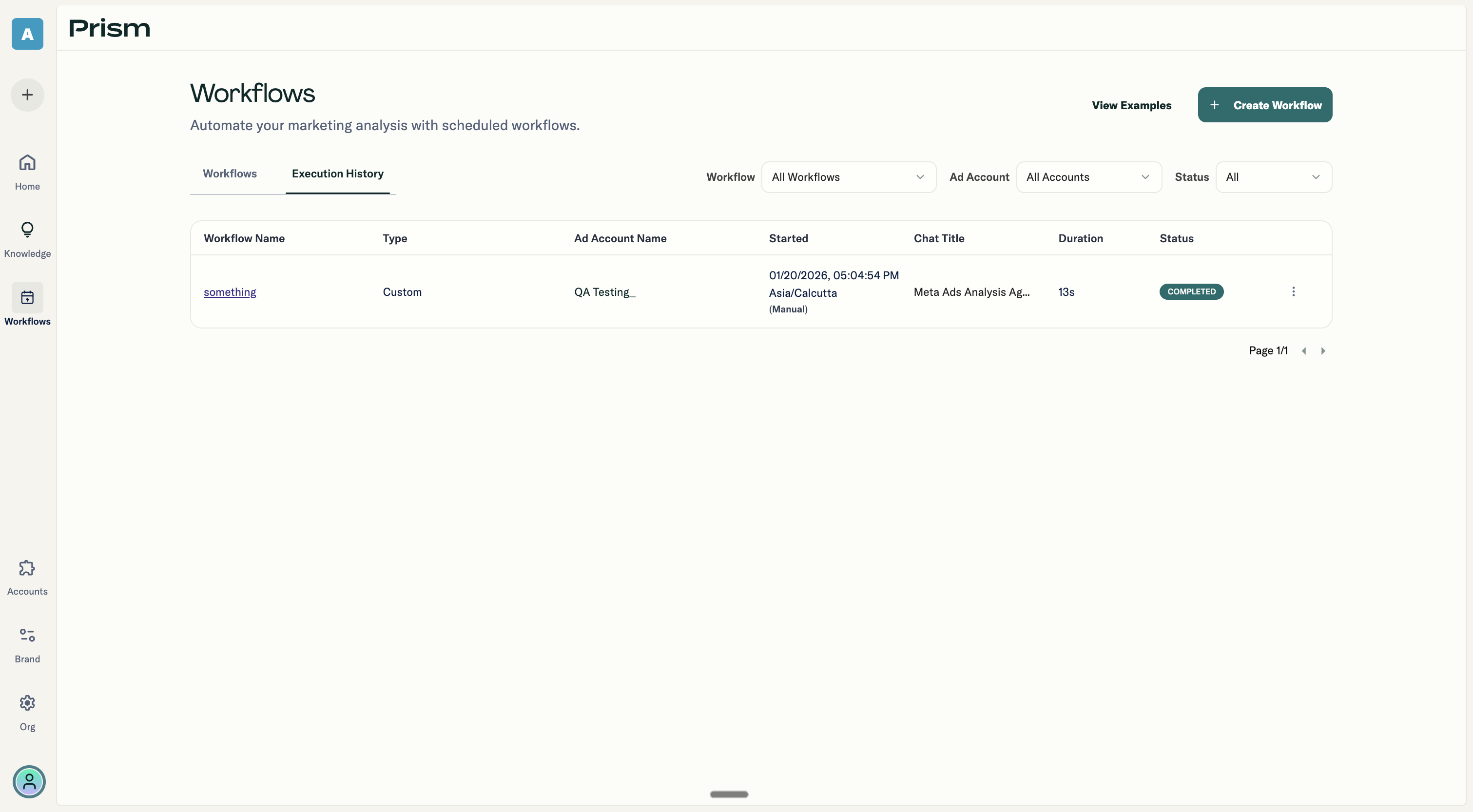
The Execution History tab shows every workflow run. For each execution, you can see:
- Which workflow ran
- When it started (with a "Manual" indicator if you triggered it yourself)
- Its status
- How long it took
- The generated conversation title
- Which ad account was used
Each row includes a link to the actual conversation so you can review the results and continue chatting if needed.
Filtering Results
You can filter the history by:
- Specific workflow
- Ad account
- Status (Completed, Failed, or Running)
This helps when you have many workflows and want to find specific executions quickly.